Preview. Name, price and trial are placeholders until confirmed.

For owners of small healthcare and behavioral-health businesses

HR and payroll built for how care teams actually get paid

Stop rebuilding the pay sheet in Excel every two weeks. Product turns clock punches and productivity hours into a reviewed pay run, keeps every hire trained and credentialed, and gives each employee their own portal.

Payroll engine, time clock, training and employee portal in one login. Free trial

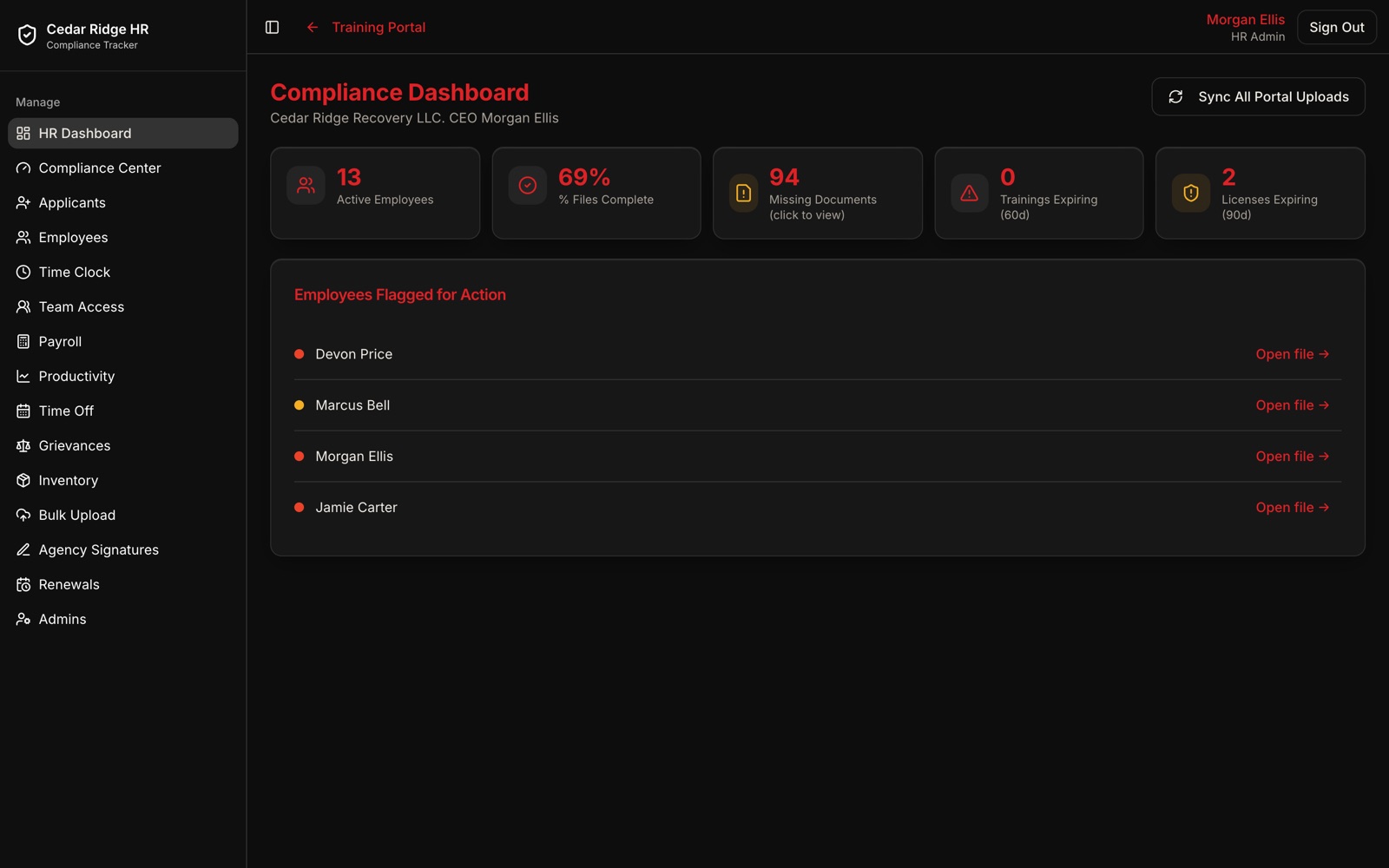
HR dashboard showing staff, missing documents and expiring credentials

Running HR at a small care business is a second job

Pay sheets by hand

Productivity bonuses, weekly overtime, tiered hours. One formula slip and someone is short on payday, or you overpay for months before anyone notices.

Training you can't prove

Orientation lives in a binder and a shared drive. When a surveyor asks who finished what, you are digging through email for certificates.

Credentials that quietly expire

CPR cards, licenses and Medicaid revalidation dates sit in a spreadsheet nobody checks until it is already late.

One portal your whole team logs into

Owners and HR get the payroll, compliance and hiring tools. Supervisors see their own team. Employees clock in, take training, sign policies and upload documents from their phone. Every agency's data is fenced off from every other agency.

Payroll engine

Pay formulas that match how clinical staff are really paid

Set each person's pay type once: hourly, salary, productivity-tiered, per productivity hour, or percent of revenue. The engine applies your rules every period.

  • Productivity tiers and bonus ladders, calculated the same way every time
  • True weekly overtime for clock-paid staff, Monday to Sunday, never blended across weeks
  • Required-productivity checks with shortfall flags for supervisors
  • A review screen for every pay run before anything goes to your payroll provider
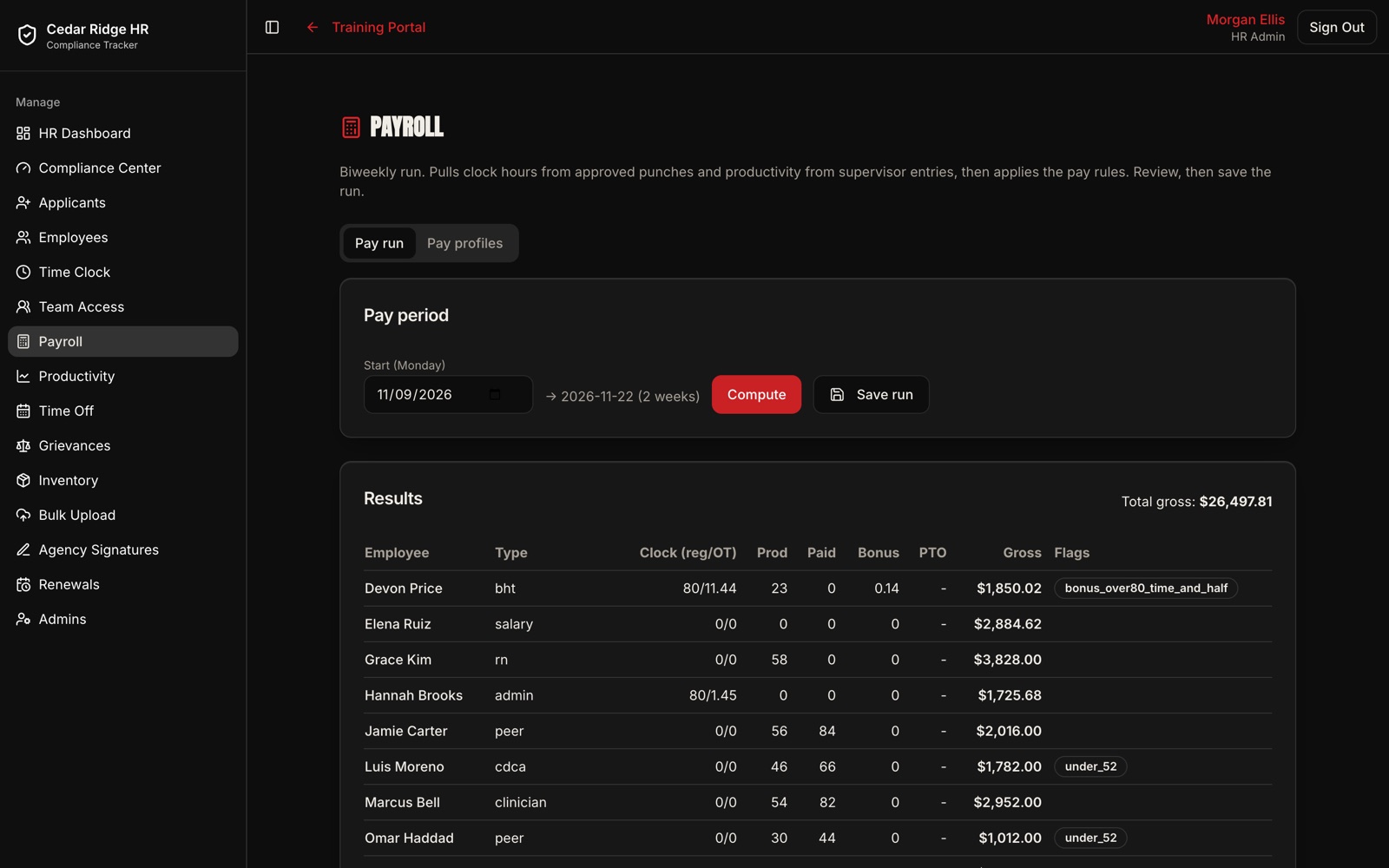
Pay run review screen with regular hours, overtime and bonus hours per employee

Time clock

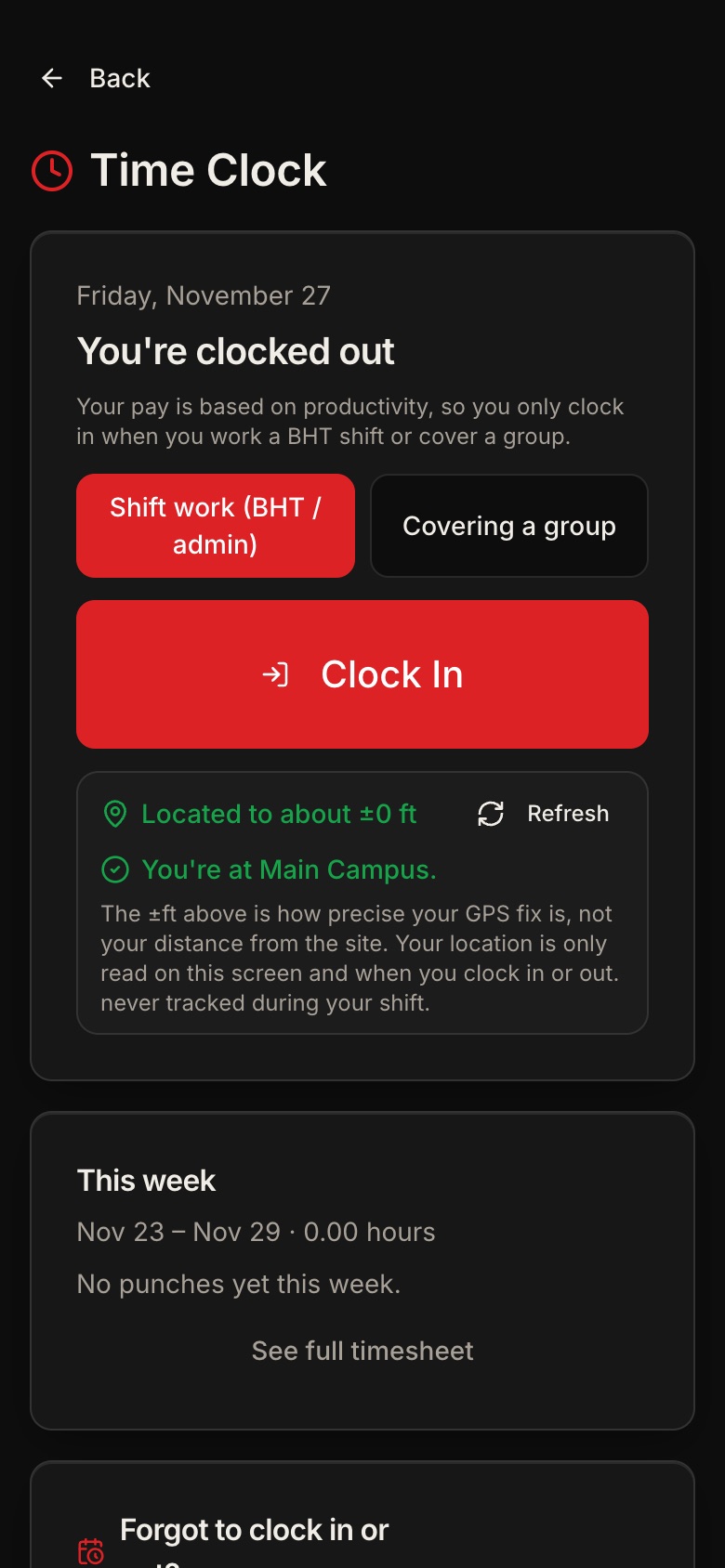
A geo-fenced time clock on every phone

Staff clock in and out from their phone. Punches are checked against your work sites, and anything outside the radius is flagged for approval instead of silently accepted.

  • Multiple work locations with their own radius
  • Timesheets roll up into your biweekly pay period
  • HR can review and correct punches
Employee time clock screen on a phone

Training

Video orientation with quizzes and certificates

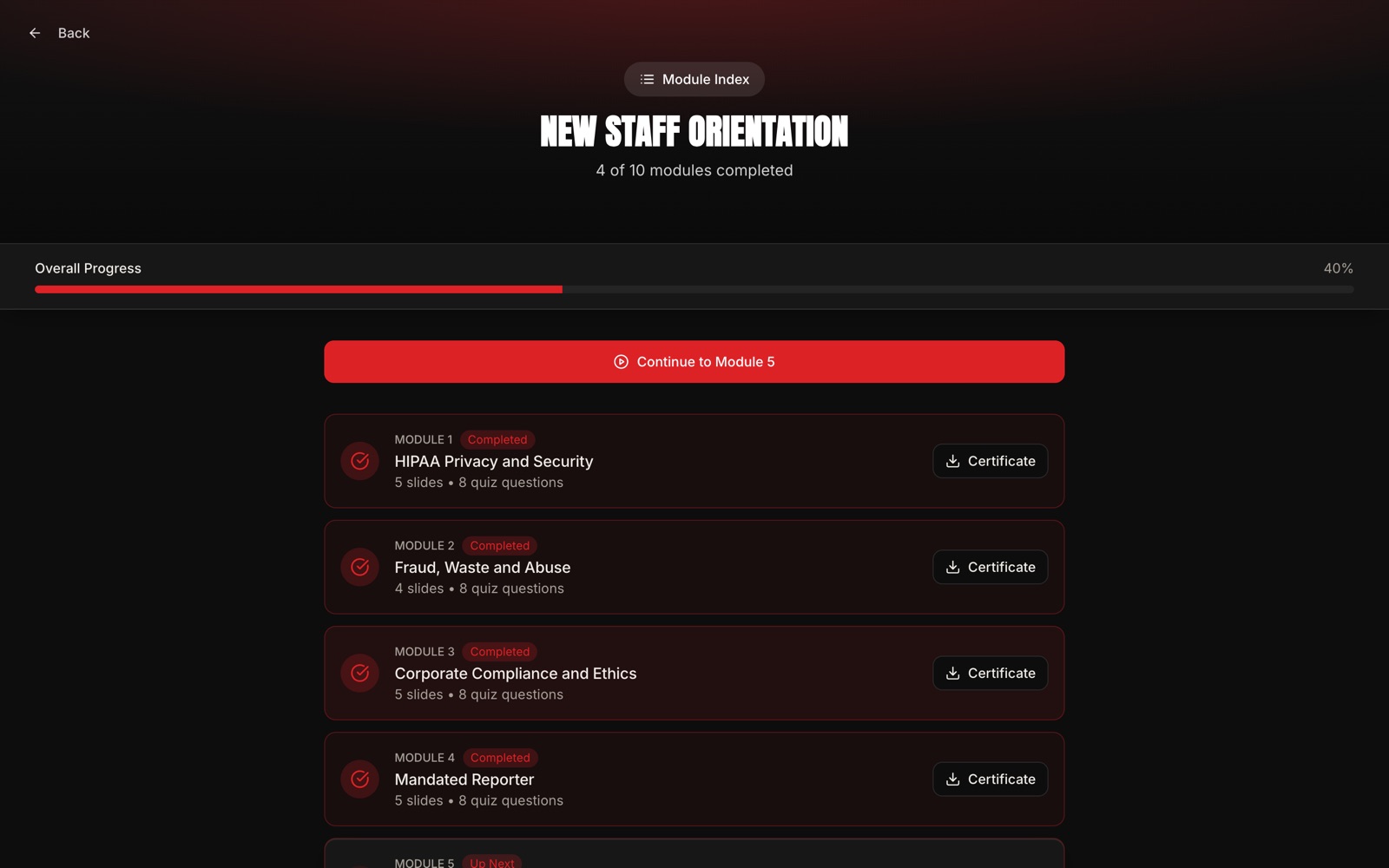
Build your orientation from your own videos. Each module has a quiz with a passing score, and staff get a certificate the moment they pass.

  • Training paths by role
  • Progress for every employee on one admin screen
  • Survey-ready training export with curriculum and answer key
  • Automatic reminder emails for unfinished training
Training dashboard with video modules and completion status

Employee portal

Every employee gets their own portal

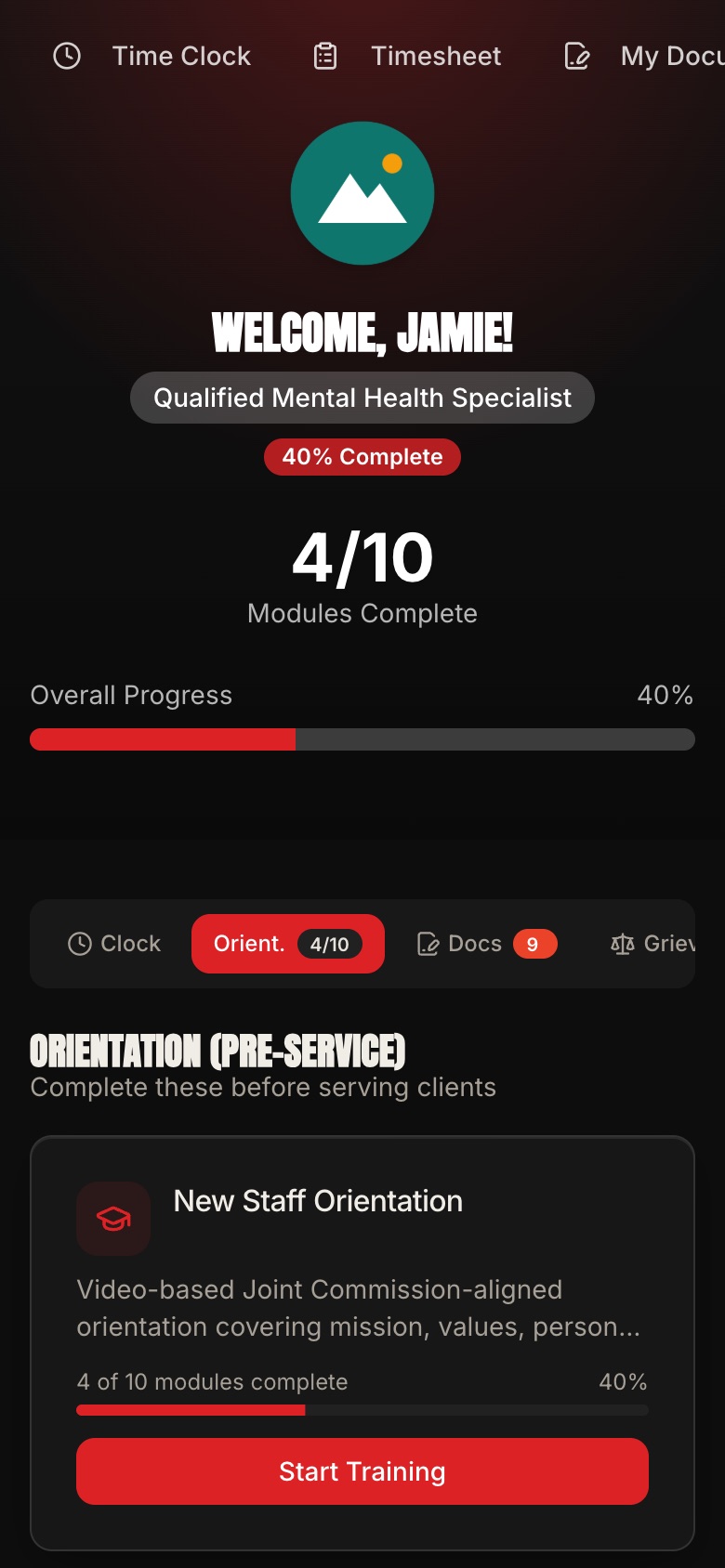
New hires sign policies, add emergency contacts and upload licenses, CPR cards and IDs themselves. You stop chasing paperwork.

  • E-signatures on your handbook and policies
  • Time off requests with approval
  • AI reads expiration dates off uploaded certificates
  • Reminders at 90, 60, 30 and 7 days before anything expires
Employee portal showing required documents and training

AI smart import

Drop in any spreadsheet, PDF or screenshot

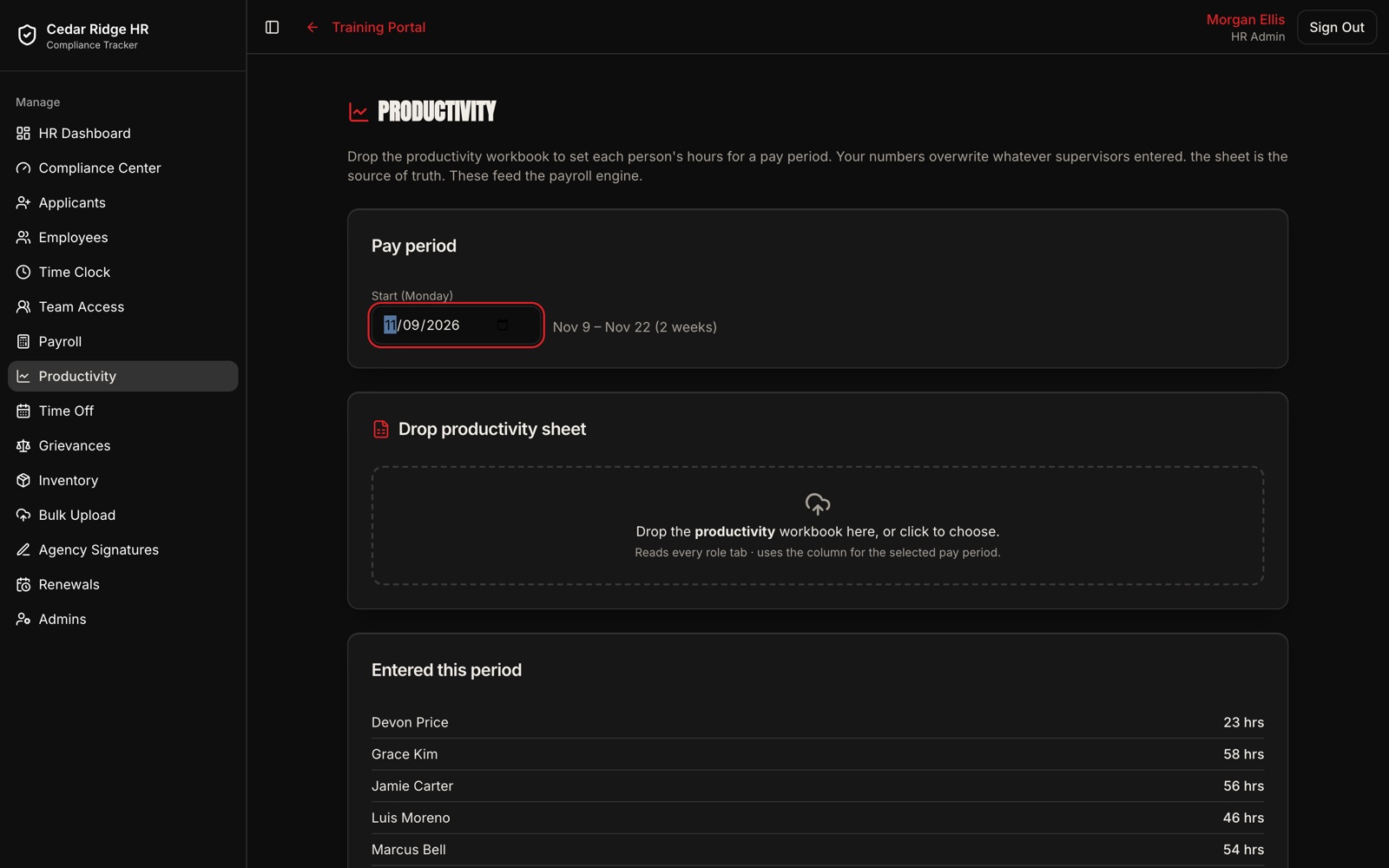
Productivity reports, time-off sheets and PTO balances come in every shape. Drop the file in and AI works out which column is the name and which is the hours. You check a preview table and confirm. Nothing is saved until you do.

  • Excel, CSV, PDF or a phone photo of a report
  • Names are matched to your roster on your side, not sent to the AI
Smart import preview table matching uploaded rows to employees

Also included

Online job application and applicant tracking One-click hire into the employee roster Supervisor team view Credentialing and Medicaid revalidation dates Grievance log Company inventory sign-out Admin roles and permissions Bulk document upload with AI filing

Coming soon

Payroll export file for your provider Performance scorecards

Up and running in an afternoon

  1. 1

    Create your workspace

    Enter your company name and owner account. Your company gets its own private workspace.

  2. 2

    Add your team

    Invite teammates as admins or staff, and set each person's role and pay type.

  3. 3

    Staff log in

    They clock in, take orientation and upload their documents from their phone.

  4. 4

    Run payroll

    Review the computed pay run each period, then hand the numbers to your payroll provider.

Simple pricing

One plan with every feature.

All features

$TBD/ month

Free trial

  • Payroll engine and pay-run review
  • Geo-fenced time clock
  • Video training, quizzes and certificates
  • Employee portal and e-signatures
  • AI smart import and document reading
  • Unlimited admins and supervisors
Create your workspace

Questions

Does this replace my payroll provider?

No. It calculates hours and pay from your rules and gives you a reviewed pay run. Your payroll provider still files taxes and sends direct deposit.

Can it handle productivity-based pay?

Yes. That is why it was built. Tiered productivity hours, required productivity per hours worked, bonus ladders and percent-of-revenue pay are all supported, alongside regular hourly and salary staff.

Who is it for?

Small healthcare and behavioral-health businesses: treatment programs, sober living, peer support, outpatient and home care teams.

Can I use my own training videos?

Yes. Add your own videos and quizzes, set the passing score, and choose which roles need which modules.

Is my data kept separate from other businesses?

Yes. Every agency's records are isolated at the database level, so one agency can never see another's employees, documents or pay.

Do my employees need to install an app?

No. The portal runs in the phone's web browser. The time clock asks for location permission so it can check the work site.

Get your next payroll off the spreadsheet

Create your workspace in a few minutes. Free trial.

Create your workspace